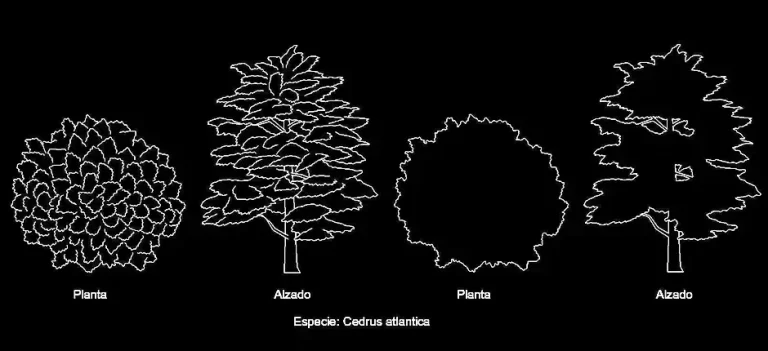
Download a free round-canopy tree elevation block in DWG format

Download a free round-canopy tree elevation block in DWG format to quickly improve your AutoCAD drawings with a clean, professional vegetation symbol. This ready-to-use CAD block is ideal for architectural plans, landscape design, urban planning documents, and exterior layout projects that require a practical plant element for a CAD library.
This vegetation block is supplied as a 2D DWG file in elevation view, making it easy to place in sections, façades, and landscape compositions. The drawing is clear, lightweight, and easy to work with, so you can insert it into your project without unnecessary editing. It can be moved, copied, scaled, or combined with other CAD elements to match the level of detail you need.
If you are looking to download a free round-canopy tree elevation block in DWG format for garden plans, terraces, parks, courtyards, public spaces, or planted areas, this file is a useful addition. It helps organize planting layouts, diversify the look of vegetation in your drawings, and produce clearer presentation documents for clients, consultants, and construction teams.
Another benefit of this DWG block is its flexibility. You can use it as a standalone tree, duplicate it to build a planting group, or mix it with other blocks for outdoor furniture, paving, circulation paths, or site design. Depending on your workflow, it can also serve as a starting point for a custom library of AutoCAD vegetation blocks.
The file can be imported and used in AutoCAD, AutoCAD LT, AutoCAD for Mac, and other software with native DWG support such as BricsCAD, ZWCAD, DraftSight, GstarCAD, progeCAD Professional, nanoCAD, and CMS IntelliCAD.
It is also suitable for BIM and architectural software including Autodesk Revit, Archicad, Vectorworks, Allplan, and SketchUp Pro, as well as mechanical CAD and 3D modeling platforms such as SolidWorks, Autodesk Inventor, Autodesk Fusion, and Rhino 3D. If you prefer free or open-source alternatives, the block can also be used in LibreCAD, QCAD Professional, and FreeCAD.