Download free blocks: elevators in DWG plan view
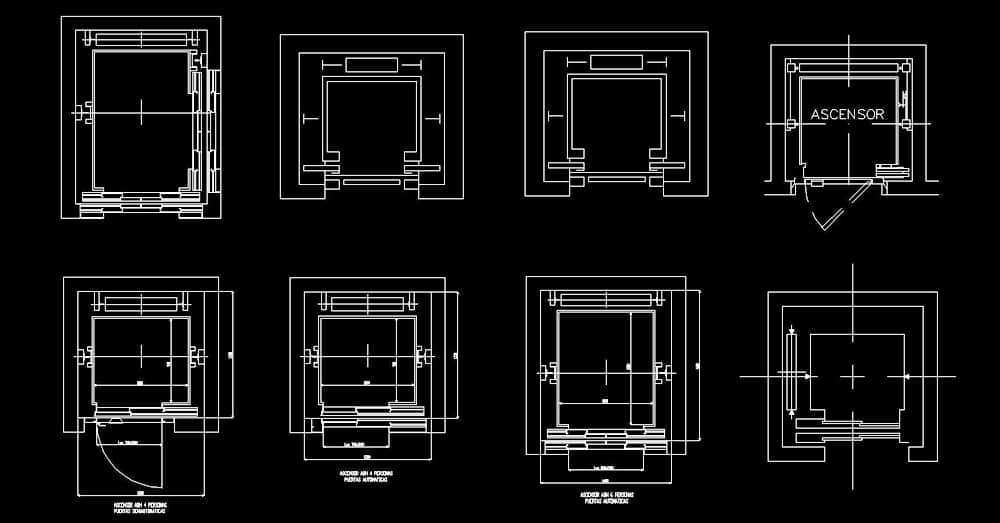
If you need to Download free blocks: elevators in DWG plan view, this CAD resource is a practical way to speed up the production of architectural, structural, and technical layout drawings. The collection is designed to provide clean, readable, and professional elevator symbols that can be inserted directly into CAD files with minimal editing.
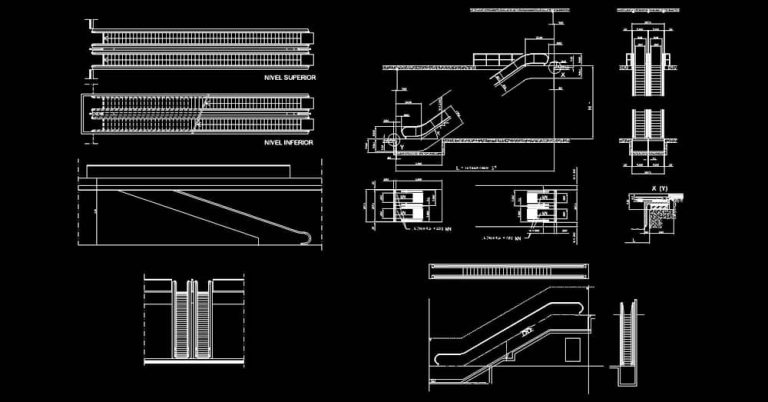
The file includes plan-view drawings intended for vertical transportation layouts, with graphic elements that clearly represent elevator cabins, doors, access points, and circulation cores. These DWG blocks make it easier to add precise detail to project plans, construction drawings, sections, elevations, and coordination documents.
This download is especially useful for architects, engineers, CAD drafters, technicians, and students who want to save time while maintaining consistent drawing standards across multiple projects. Each block can be resized, moved, copied, or added to a broader DWG symbol library to support office-wide drafting workflows.
Another key benefit of this file is that it can serve as a reliable base for checking proportions, clearance zones, alignment, and overall graphic consistency within a drawing set. For more developed projects, the blocks can be supplemented with dimensions, annotations, hatch patterns, materials, and technical references according to your company or local drafting standards.
The DWG file can be opened and used in AutoCAD, AutoCAD LT, AutoCAD for Mac, and other native DWG-compatible AutoCAD alternatives such as BricsCAD, ZWCAD, DraftSight, GstarCAD, progeCAD Professional, nanoCAD, and CMS IntelliCAD. It can also support workflows in BIM and architectural software including Autodesk Revit, Archicad, Vectorworks, Allplan, and SketchUp Pro.
It may also be imported into mechanical CAD and 3D modeling software such as SolidWorks, Autodesk Inventor, Autodesk Fusion, and Rhino 3D, as well as free or open-source alternatives like LibreCAD, QCAD Professional, and FreeCAD. Depending on the software you use, it is a good idea to verify scale and unit settings after import to ensure the block matches your project correctly.